Draftback – Play back your Google Docs

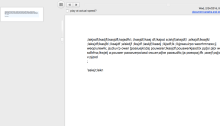
Draftback is a Chrome Extension that allows you to play back a Google Doc as if you were recording a video of all of the edits.   This simple Chrome Extension will allow a writer, or someone who is helping to give feedback to a writer, to view their writing process and see the flow…
Creating a YouTube Playlist for Students

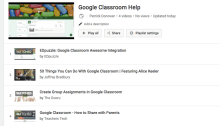
There is a tremendous amount of useful information on YouTube, along with a large amount of not useful information.  One thing we can easily do to help students, is to create a Playlist of videos related to the topic in our classroom.  This could become a great resource for them to extend or enrich their…

Updates to Kaizena Improve Workflow for Feedback

One of my favorite tools for leaving effective feedback for students is Kaizena.  Kaizena allows you to easily leave audio and text feedback for students in a Google Doc.  This is a free service and one that I suggest to a lot of people because we should be more focused on feedback than grades in…

Using EdPuzzle with Google Classroom

Last summer Google released the Classroom API so other programs and apps could communicate and integrate with Google Classroom.  One of the most recent ones to do this is EdPuzzle.  EdPuzzle is great tool for adding questions, feedback, and your voice to premade videos for use in your classroom.  You can assign videos as homework…

Share your Google Classroom Calendar with Parents

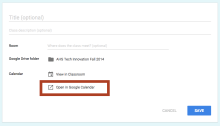
When Google added the Calendar integration with Classroom, they pretty much released another feature that many had wanted, sharing with parents.  Now, parents still can’t log into Classroom unless they use their student’s information but they can easily see the Calendar that is created with that Classroom to see due dates for assignments.  This is…

Using the Swivl to Reflect on our Teaching

One of the ways that we have used the Swivl the most during the last year has been in regards to teacher reflection.  Various teachers have used the Swivl to record their lesson so they can use it to analyze the lesson and reflect on what went well and what didn’t.  It is useful to…

Getting Your Tweetdeck Ready for ITEC

We are less than a week away from ITEC, Iowa’s biggest educational technology conference.  This is a great time for educators to come together from across the state, and even those from outside the state, to share how they are transforming their learning environments through the use of technology. Whether you are at the conference…

Flipboard to Move Beyond the Textbook

While a textbook can be a good resource, it no longer has to be our only resource.  Curation tools, like Flipboard, can help you to put together resources to help your students learn.  There are many resources out there are that are more up to date than a textbook or more engaging.  We can find…

Create Animated Gifs Using Snagit

Animated GIFs are great tools to show students/teachers/others how to do something without having to create a full video to host online. You can quickly create animated GIFs using Snagit for Chrome,https://chrome.google.com/webstore/detail/techsmith-snagit-extensio/annopcfmbiofommjmcmcfmhklhgbhkce?utm_source=chrome-ntp-icon,  by doing a quick screencast and then converting it into an animated GIFs. There are other extensions, like MakeGif (https://chrome.google.com/webstore/detail/makegif-video-capture/cnhdjbfjheoohmhpakglckehdcgfffbl), that allow you…