Embed a Padlet Wall onto a Google Site

Padlet is a great tool for collaboration, communication and curation.  It can be set up so that people can add to it without needing an account or just so they can view what others have done.  It has a lot of uses and is very simple to use.  Adding to that simplicity of use is…
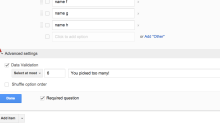
Customize Themes in Google Forms

Google Forms have a lot of uses in the school setting, from being a way to easily conduct a formative assessment to even being a way to let students vote without having to collect tons of paper slips. One issue that some had with Google Forms was the limited options to customize the look of…

Beyond Basics with YouTube Videos

In the early days of YouTube, it was filled with mostly useless videos of cats and music videos.  YouTube now is a great resource for finding video clips related to almost anything you want.  You can fix your sink using an instructional video found on YouTube, something I have done, or you can just find…

Student Introduction to Google Classroom

With Google Classroom being fully rolled out and being used in multiple classes here at AHS, it is important for students to know the basics of how to use Classroom.  Classroom is very easy to use and takes very little time to learn.  The following video should help students get started and help teachers see…

Google Classroom Updates – 8/12/14

Google Classroom is starting to be rolled out to schools around the world and there are even a couple of updates from the preview that some had access to over the summer.  You can see my previous postings for Google Classroom here.   There are 2 big changes, one is an About section and the…

New Google Drive – With Office File Editing

Google has released an update to their Drive app and everyone is able to make the change now before it is made for you.  The only issue is that it did not work great on my school account but it worked perfectly on my personal account.  There are some added features that some will really…