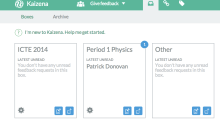
Kaizena – Voice Comments and More in Google Docs

One of the easiest ways to give feedback in a Google Doc is to use the comments tool in the doc itself.  You can go a step further by using Kaizena to record audio while you are highlighting text or by inserting comments and resources to help the student improve.  Sometimes we can provide better…

Differentiation Using Google Forms and Doctopus

As we try to change our instruction to better meet the needs of students, we find that we need to differentiate more and more to meet the different learners that we have.  To get to this differentiation we need to start with data, information from assessments or surveys, in order to determine the needs of…

Edcamp Des Moines Recap

This last Saturday I was down in Des Moines for what was my 5th Edcamp.  I love Edcamps as they are a great opportunity to connect with others and to learn from each other.  There are no experts in the room, although some people do have more background knowledge than others, but it is more…

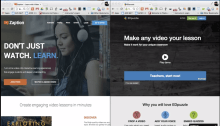
Zaption vs EduPuzzle

There are some great video resources out there today that allow for students to get assistance in learning a new idea or concept as well as furthering their understanding of that idea or concept.  Zaption and EdPuzzle both allow the teacher, or anyone for that matter, to places questions and feedback into the videos to…

Enable Offline Drive Editing (Updated)

Despite what many people think, you can work on your Google Drive files offline.  You need to enable offline mode for your Google Drive which saves your files into your browser so you can access them when you lose your connection.  This is working better in the updated Google Drive but if you are still…

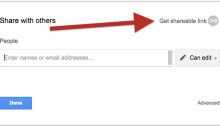
New Sharing Window in Google Drive

With the update of Google Drive available to people and will more than likely be pushed to everyone soon, there is a new sharing window that pops up.  You have pretty much the same options as before but you just need to click in different spots.  The official Google Drive post can be found at http://googledrive.blogspot.com/2014/09/sharingupdates.html.…

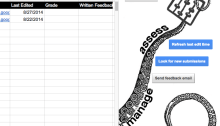
Doctopus and Goobric in Google Classroom

Thanks to Andrew Stillman and his crew, you can now use Goobric with assignments created in Google Classroom.  Doctopus is still a very useful tool and has features that are not available in Classroom yet but they are working hard to make Doctopus work with Classroom.  Goobric allows you to use rubrics to assess and…

Student Blogging Using Google Sites

As a GAFE school, there is a tool that is readily available that makes it easy to carry out student blogging in the classroom.  Student blogging can serve many purposes as part of the learning process, from reflective writing to posting student creations to share with others.  There are tools that make using Google Sites…

Embed a Padlet Wall onto a Google Site

Padlet is a great tool for collaboration, communication and curation.  It can be set up so that people can add to it without needing an account or just so they can view what others have done.  It has a lot of uses and is very simple to use.  Adding to that simplicity of use is…

Updates to Padlet

Padlet is one of those tools that I keep finding uses for when I am using it.  It helps that they keep rolling out new features that add to its usability.  It is a great tool for collaboration and getting feedback but the recent updates make it even more useful as both a curation tool…