Better Feedback: Google Docs vs Paper

One very important aspect of the learning process is how feedback is used to help guide the learner to improve and grow.  We must focus on giving effective feedback otherwise we will not be continuing the learning process.  When the only feedback that we give is a grade or a percentage, that is not going…

Fun Stuff For Kids To Do

While many people fear what kids will do when given an iPad or other piece of tech on break, there is a lot more you can do than just sit there and consume.  While this has nothing to do with high school tech integration, many high school teachers have kids who are young and needing…

Open Drive Files In Desktop Applications

Google has done some updates to Drive recently and one that I really like is that you can now open your Drive files from in the browser into desktop applications.  You can open a photoshop file from your Drive in your browser, edit it, hit save and it will be saved in your Drive automatically.…

gMath Add-on for Google Docs/Sheets

This is an old post, go to https://www.texthelp.com/en-us/products/equatio/ to find about the replacement for gMath.   Something that some people did not like about Google Docs was the lack of an in-depth math equation editor as they were accustomed to in Word.  Through the use of a new Add-on, you can get a lot of the same functionality…

Google Classroom Updates 10-14-14

Google is constantly listening to teachers and updating Classroom to better meet the needs of many.  You do have to remember that this is a free and lightweight service so you should not be expecting full LMS features but this is a great tool to use to help organize and streamline many things.  It is…

Kaizena Updated – Now an Add-on

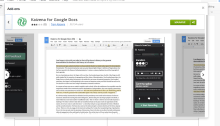
Kaizena was updated lasted night and is now accessible as an Add-on through Google Docs.  For those that are new to Kaizena, it is a way to leave voice and text comments in a Google Doc as well as include resources and tags related to the learning.  Leaving effective feedback should be a goal of…

Doing More with Data from a Google Form

Using a Google Form to get information and data from others is very easy to do.  What you do with that information can be a bit tricky but there are simple things to do, like viewing the summary of responses which creates, automatically, graphs and charts of the data.  However, you really do not want…

Autocrat Add-on

The Autocrat Add-on allows you to use a Google spreadsheet to create files that contain the information from the spreadsheet.  You could create a form to give feedback to students using the Add-on by creating a template document first and then placing the information you want into the spreadsheet.  Autocrat will take the information in…