New Google Drive – With Office File Editing

Google has released an update to their Drive app and everyone is able to make the change now before it is made for you.  The only issue is that it did not work great on my school account but it worked perfectly on my personal account.  There are some added features that some will really…

No Office – No Problem

As our new school laptops do not have Microsoft Office installed, many people are going to have to learn how to use tools that are readily available to do what they were doing before.  We have LibreOffice installed on the computers and of course we have access to Google Drive.  Both of these allow us…

Samsung Gear Live vs Pebble Smart Watch

As a teacher I was always looking out for new tools that could help improve the learning environment in my classroom as well as help me help my students more efficiently and effectively.  I have tried out many gadgets with a goal of finding out how they can improve something in the classroom or if…

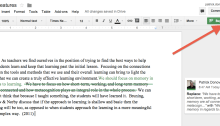
New Suggesting Tool in Google Docs

One of the  changes made to Google Drive and Docs this summer was the addition of the Suggesting option for edits in Google Docs.  Previously if you wanted to suggest any changes in a shared document, you could add a comment to the side or just use a different colored font to add that change.…

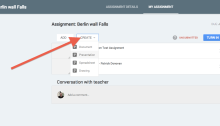
Google Classroom – Easy and Effective

Right before I left for ISTE I was given access to Google Classroom and I have been playing with it ever since.  As a teacher I mostly used Moodle as my LMS and used Google Docs, this was before I knew about Doctopus which is what I would have used if it was available then.…

Prepare Tweetdeck for #ISTE2014 – Filtering Spam

If you are like me and you will be using Tweetdeck in the Chrome browser as your main way of accessing Twitter for the ISTE conference next week, you can easily remove those spam tweets that will pop up.  You can set up filtering options in a search column to remove the key words that…

Using Social Media to Continue the Learning

When I started using Twitter in the classroom, it was to more easily connect with my students and share out information.  I used it to send reminders about upcoming class work or to share out links to resources they might find useful or interesting.  Students would tell me that they would actually click the links…

Create a Google Site Template

Having students create a Google Site is an easy way for them to share out what they are learning or creating.  Sometimes you may want to give them a way to get started quickly and even help organize the information for them.  You may also want to use a gadget or have a certain layout…

Google Form with Video to Increase Class Time

Time seems to be a big thing that almost all teachers wish they had more of.  The thing is though is that there are things that we can do to make it so we have more time with our students in class.  When I flipped my classroom it wasn’t so I could spend less time…