Doing More with Data from a Google Form

Using a Google Form to get information and data from others is very easy to do.  What you do with that information can be a bit tricky but there are simple things to do, like viewing the summary of responses which creates, automatically, graphs and charts of the data.  However, you really do not want…

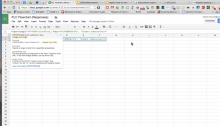
Autocrat Add-on

The Autocrat Add-on allows you to use a Google spreadsheet to create files that contain the information from the spreadsheet.  You could create a form to give feedback to students using the Add-on by creating a template document first and then placing the information you want into the spreadsheet.  Autocrat will take the information in…

October = Conference Season Has Begun

October is always a busy time for teachers due to the first quarter ending and parent/teacher conferences starting up but yet we also have another thing to look forward to, educational conferences.  At least in Iowa, October is when the educational conferences start up.  We have ICTE (english teachers) next week, ITEC (ed tech) the…

Awesometables on a Google Site

Like me, you may have run into a dilemma where you have a lot of information you want to share on a Google Site but no easy way to organize it all.  Previously I listed all of my digital tools onto a single page and would try to categorize them and include links to any blog posts I…

What Does Engagement Sound Like?

One of the things I love the most about being in classrooms in my role as tech integrationist is that I still get to see great examples of learning.  Those times when students are so engaged in their learning that they even forget that it is time to leave for lunch.  Those times when you…

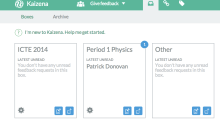
Kaizena – Voice Comments and More in Google Docs

One of the easiest ways to give feedback in a Google Doc is to use the comments tool in the doc itself.  You can go a step further by using Kaizena to record audio while you are highlighting text or by inserting comments and resources to help the student improve.  Sometimes we can provide better…

Differentiation Using Google Forms and Doctopus

As we try to change our instruction to better meet the needs of students, we find that we need to differentiate more and more to meet the different learners that we have.  To get to this differentiation we need to start with data, information from assessments or surveys, in order to determine the needs of…

Edcamp Des Moines Recap

This last Saturday I was down in Des Moines for what was my 5th Edcamp.  I love Edcamps as they are a great opportunity to connect with others and to learn from each other.  There are no experts in the room, although some people do have more background knowledge than others, but it is more…

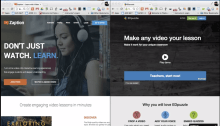
Zaption vs EduPuzzle

There are some great video resources out there today that allow for students to get assistance in learning a new idea or concept as well as furthering their understanding of that idea or concept.  Zaption and EdPuzzle both allow the teacher, or anyone for that matter, to places questions and feedback into the videos to…

Enable Offline Drive Editing (Updated)

Despite what many people think, you can work on your Google Drive files offline.  You need to enable offline mode for your Google Drive which saves your files into your browser so you can access them when you lose your connection.  This is working better in the updated Google Drive but if you are still…